
So you’ve plugged a harddrive / disk-on-key or any other hot plugged device, and oops BSOD :(
or, you want to install a new driver for a device that you have removed, but windows magic plug-and-play installed the driver automatically…. but you don’t want that do you ?
Anyway there’s an old method that works great.
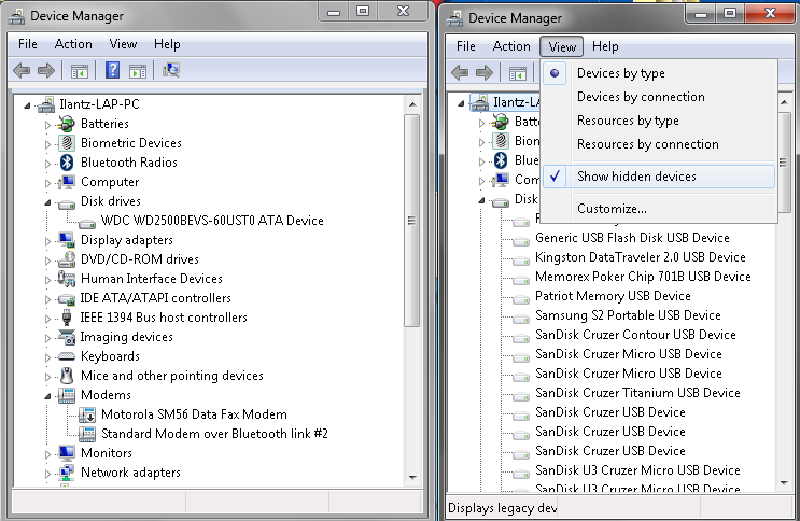
You open device management, and click , view “show hidden devices”… but you fail to see your disconnected devices…
FIX - Show all disconnected devices, open System Properties, click Environment Variables and click to add a New System Variable.
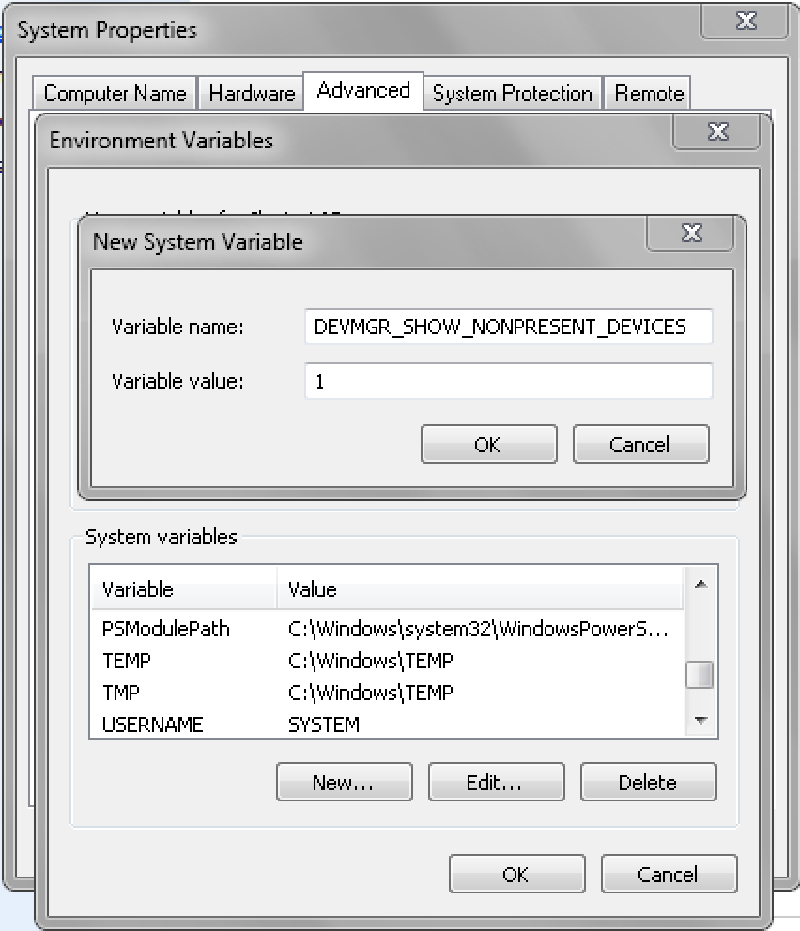
After this you will be able to launch Device Manager again and when you’ll click to Show Hidden Devices, you will see all those removed or disconnected device drivers !
That’s it ! Enjoy