
Hi Again,
Well…no more!! Here’s the actual line of events that led me to the solution:
- Went through some event viewer entries, specifically looking at Power-Troubleshooter and Kerner-General source that did not provide me with anything…
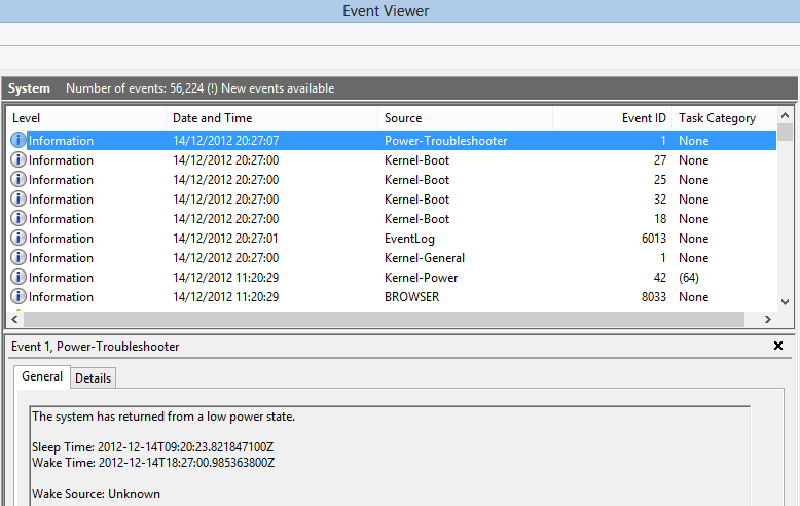
Event ID 1 Source Power-Troubleshooter Wake Source Unknown - Double checked that no one is touching the mouse or keyboard… :)
- Made sure that the “Allow wake timers” option is not enabled for the active power scheme
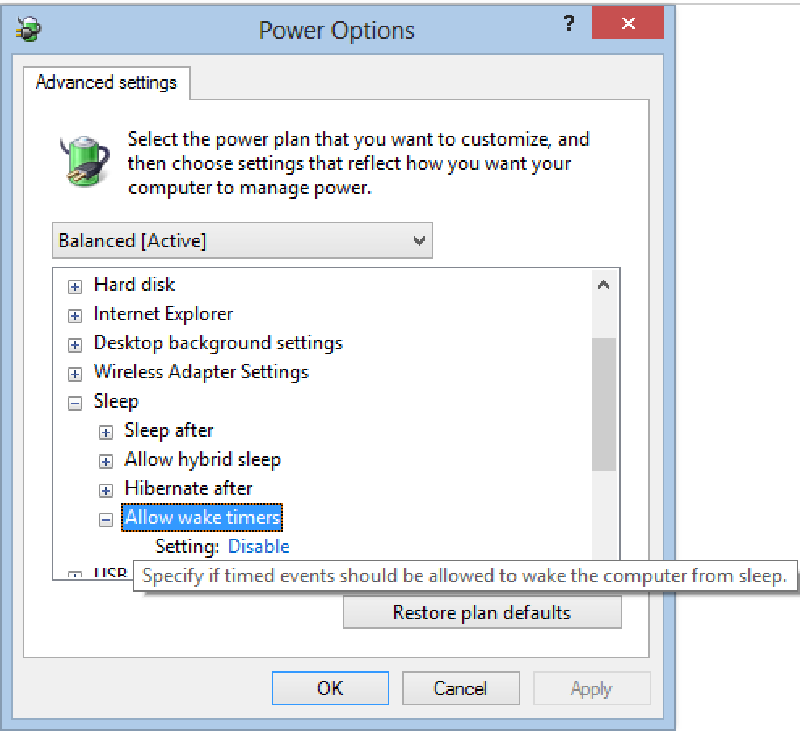
Allow Wake Timers Set To Disabled - Disabled the “Allow this device to wake up the computer” option on the network card adapter Power Management settings tab - you can query all devices that are allowed using the following command (cmd not PowerShell):
powercfg -devicequery wake_armed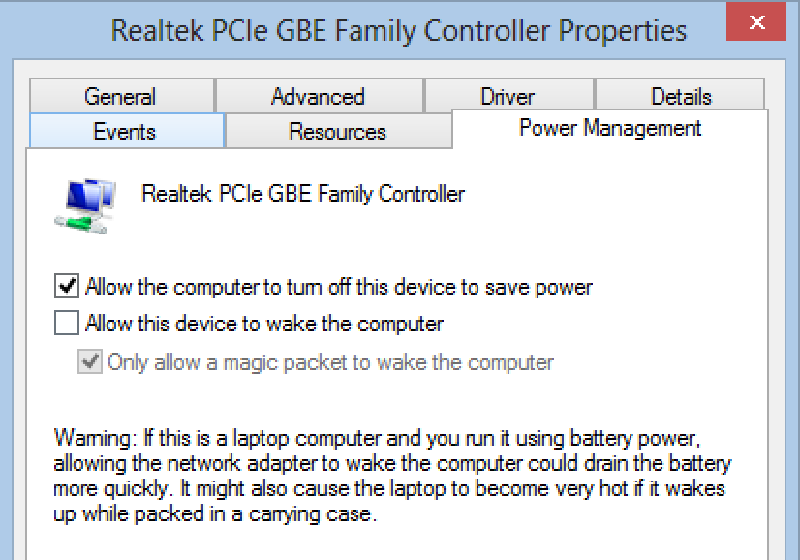
Allow This Device To Wake The Computer Disabled
Only after being frustrated again from the computer still waking up with no apparent reason I’ve noticed that it keeps waking up at around specific times, which led me to the conclusion that it’s probably a schedule task that was waking the computer up ! Seems like there is a Media Center task names mcupdate_scheduled that was causing all the trouble !
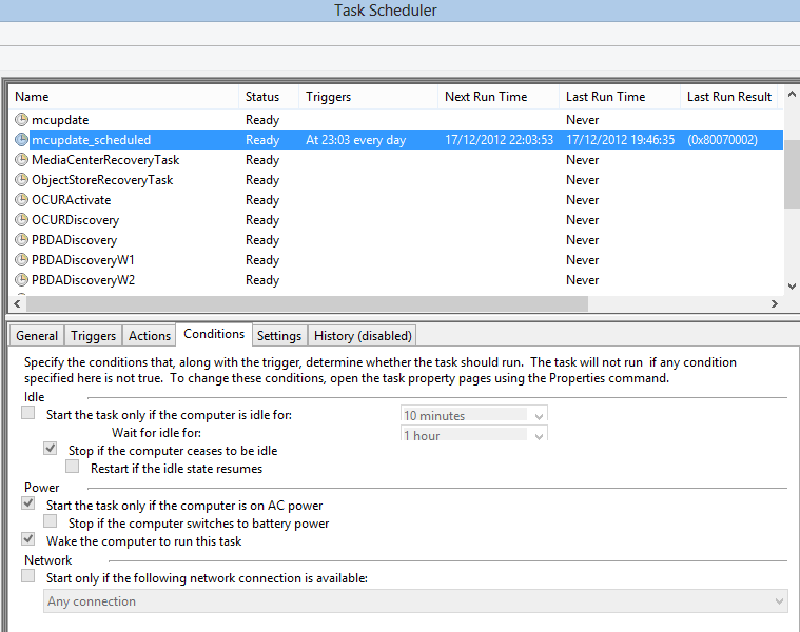
So, I’ve written a small PowerShell script to disable the “wake the computer to run this task” option from all scheduled tasks at once, and that did the trick! This script should work fine with Windows 8 or Server 2012 and might serve as an example for manipulating scheduled tasks with PowerShell.
Get-ScheduledTask | ? { $_.Settings.WakeToRun -eq $true -and $_.State -ne "Disabled"} | % { $_.Settings.WakeToRun = $false; Set-ScheduledTask $_ }Now my computer sleeps and hibernates without waking up ! ZzzzzzzZzzzzZzzzz
Additional Links:
http://www.howtogeek.com/127818/how-to-stop-windows-8-waking-up-your-pc-to-run-maintenance/
Ilantz