
With more and more virtual servers and less and less physical servers being deployed, capabilities like SpeedStep of a CPU were forgotten. Take for example the following “modest” specifications of Intel Xeon E5-2690 v2, with 10 cores @ 3.0 GHz this is a “fare” spec for a high load / CPU intensive profile server.
BUT ! if you forget to select the “High Performance” power option in Windows Server for example, you could end up with:
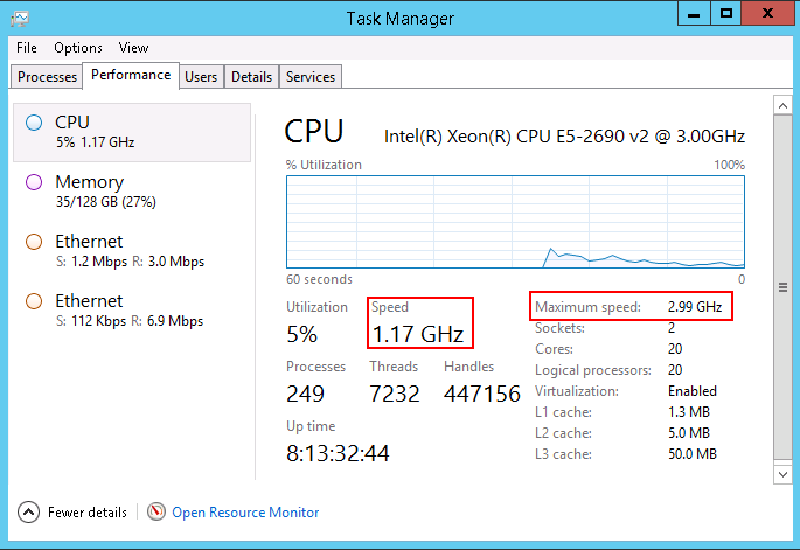
Notice that the speed of the CPU is less the half the speed it can run at. now to make things better, just make sure to select the “preferred” settings for your busy server:
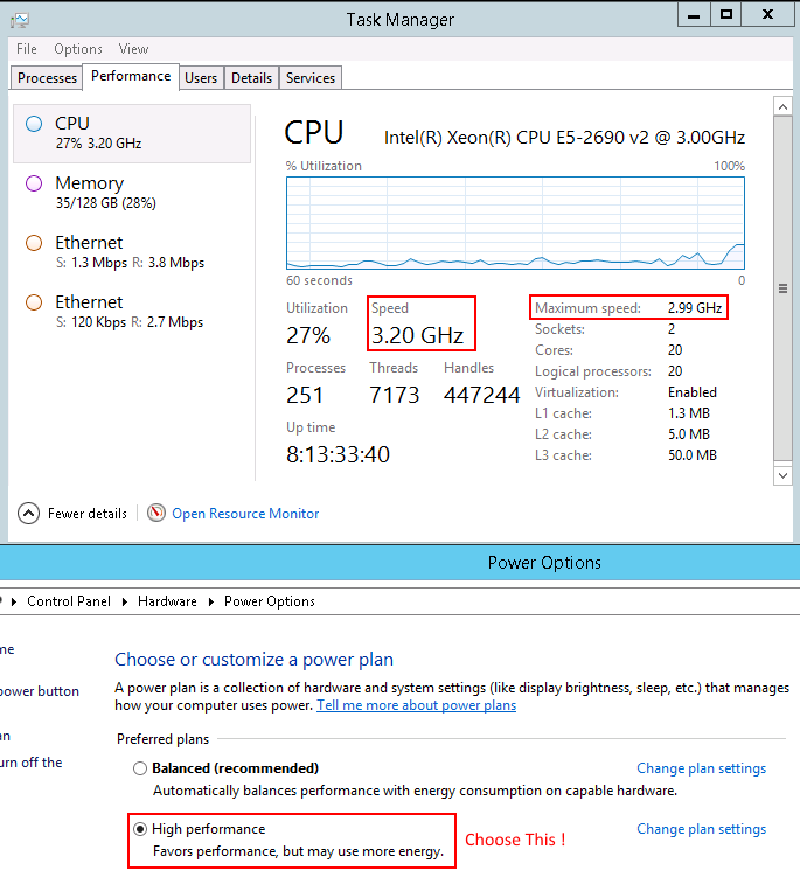
Just a heads up for all you folks out there, the default “Balanced” option caused a performance issue with an Exchange 2013 server that was running on this physical hardware and once the option was changed - all was back to normal :)
ilantz